From Confusion to Clarity: Designing /explain to Make Concepts Click
Context:
At Canonical, internal teams often work in highly specialized domains — cloud infrastructure, AI, enterprise support, etc. As a product designer, I frequently saw confusion arise when teams shared updates full of acronyms, assumptions, and product-specific jargon.
Why?
During a design review, I realized that while I thought I had clearly explained the mental model behind LXD integration in MAAS, my colleagues didn’t follow.
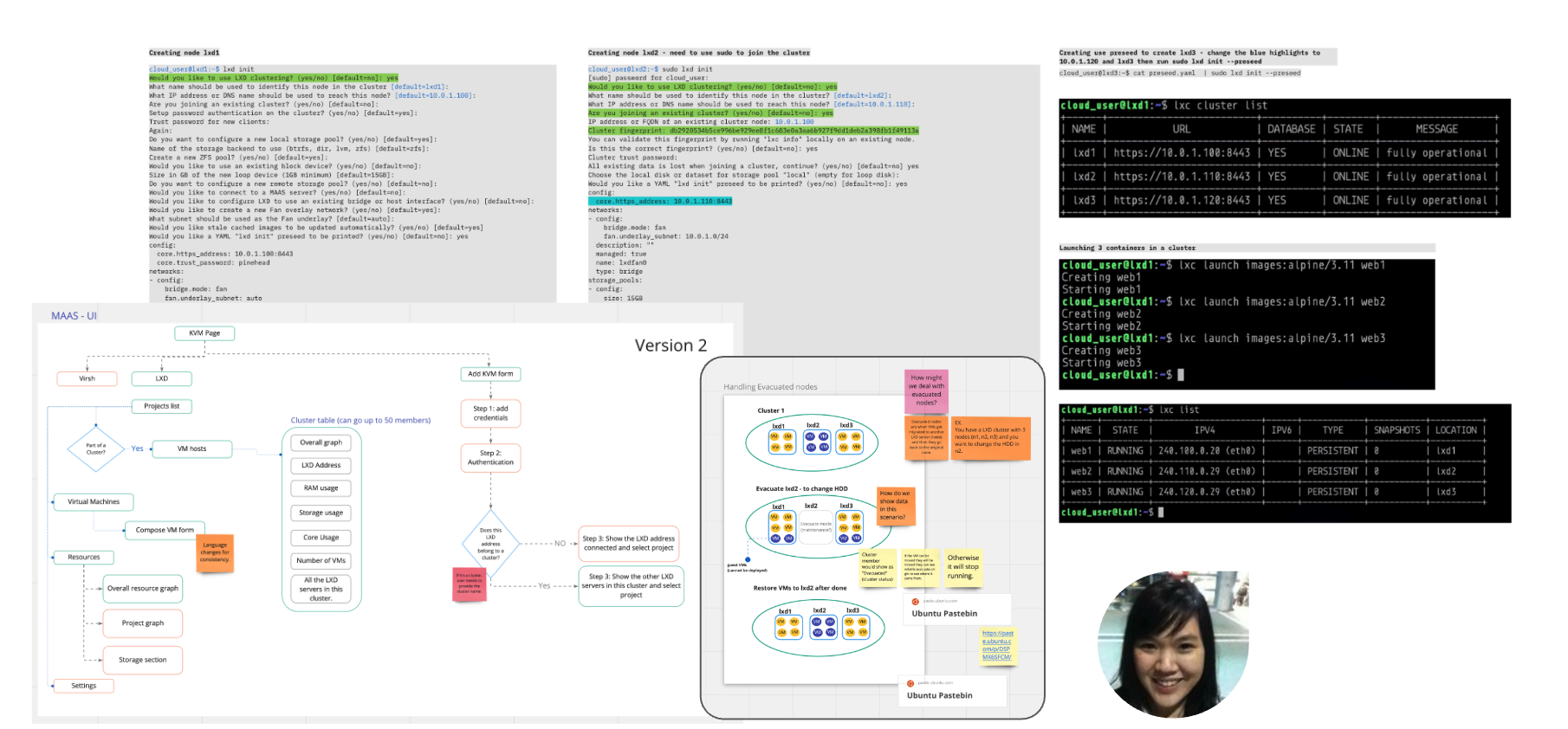
Little did I know, this was how other designers understood my explanation.
 Image source: imgur.com/lBBxrh1
In that very same meeting, below was how my colleague explained the concept of Ubuntu Advantage.
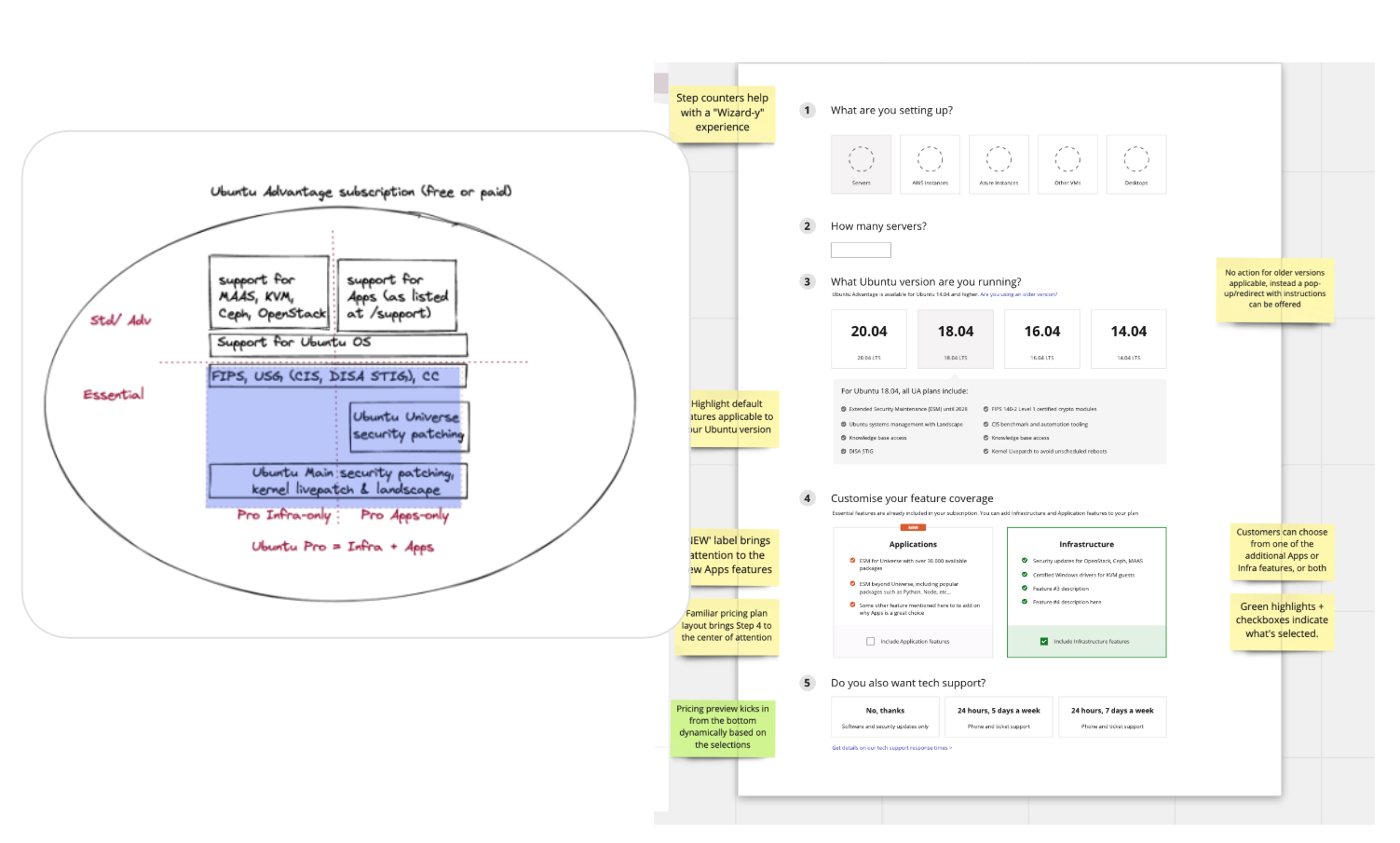
Yet, this was how I understood it.
 GIF via GIPHY
Problem?
We work with a lot of complicated concepts:
We had no quick, lightweight way to understand technical concepts outside of our own teams.
Here are some examples of terms that often confuse people outside their teams:
| Concepts |
|---|
| SmartNICs |
| TFA |
| Multi-access Edge Computing (MEC) |
| Ceph |
| Canadisk? |
Without shared language, even well-designed features risked being misaligned or miscommunicated.
Approach
I created /explain — a slash command integrated into Mattermost (our internal chat platform).
Anyone could type:
/explain [term]
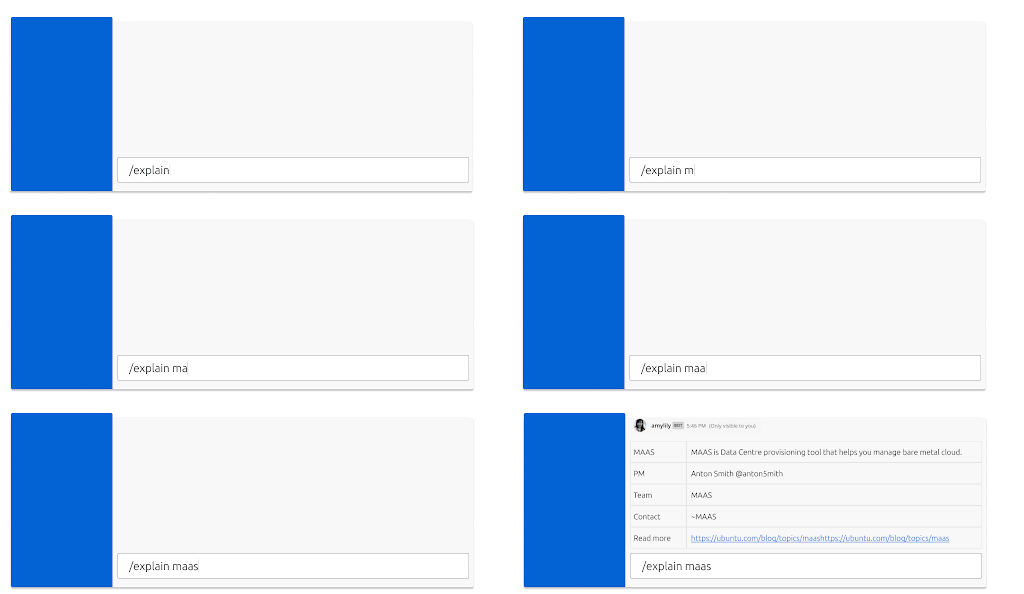
It returns a simple, friendly, human-readable explanation of a concept — often sourced from PMs, engineers, or documentation. Think “just enough context” without the Wikipedia rabbit hole.
To build momentum:
- I seeded the database with common terms people struggle with.
- Crowdsourced the definition from internal people who are team experts or Technical Authors.
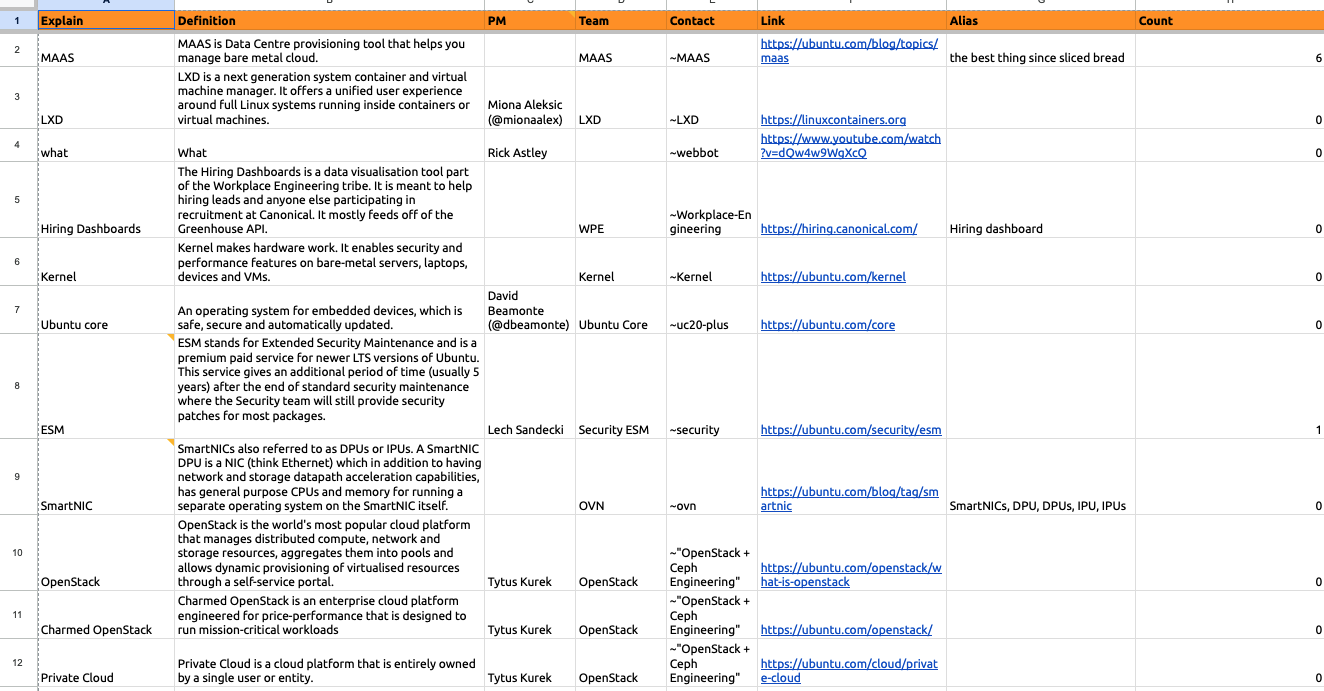
When the [term] does not exist, someone with the knowledge can contribute to the meaning of that term.

Pro tip
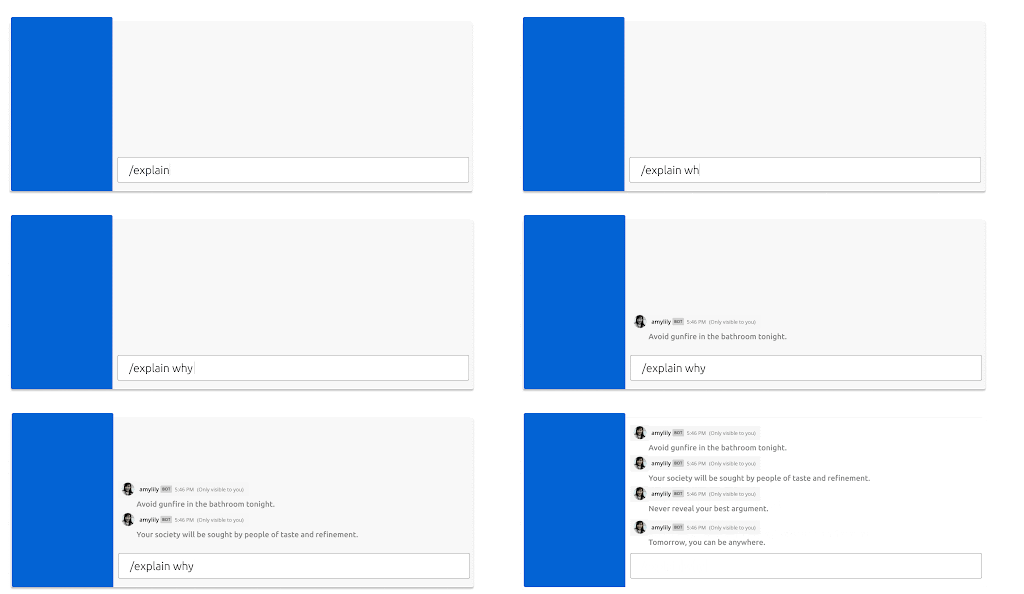
If you have a bad day and you don’t want to learn new concepts, you can type /explain why. This will return jokes from the Unix fortune database bsd-fortune.
(Fortune database from HubTou)

Outcome
Sometimes the best UX isn’t a screen…it’s helping people understand what’s on it.
/explainwas adopted organically by multiple teams.- PMs and Engineers contributed to definitions, turning it into a share glossary.
- I helped onboard new hires, spark discussion, and normalize asking What does that mean?
This became more than just a tool, it created a space for learning out loud without slowing anyone down.
Reflection
This side project reminded me that UX isn’t always about visual, sometimes it’s a cultural design intervention.
By turning misunderstanding into a moment of play and clarity, /explain showed how a small, targeted tool can shift team dynamics, unblock ambiguity, and scale knowledge in distributed environments.
Maybe good design isn’t always about polishing. Sometimes, it’s about lowering the cost of asking a “dumb” question.